A non-VoIP number is tied to a real mobile carrier, so platforms like Google, WhatsApp, and PayPal treat it as a genuine phone rather than a disposable line. To buy a non-VoIP SMS number that works, confirm the provider explicitly labels the line as non-VoIP, supports your target app, and lets you receive the code before you commit.
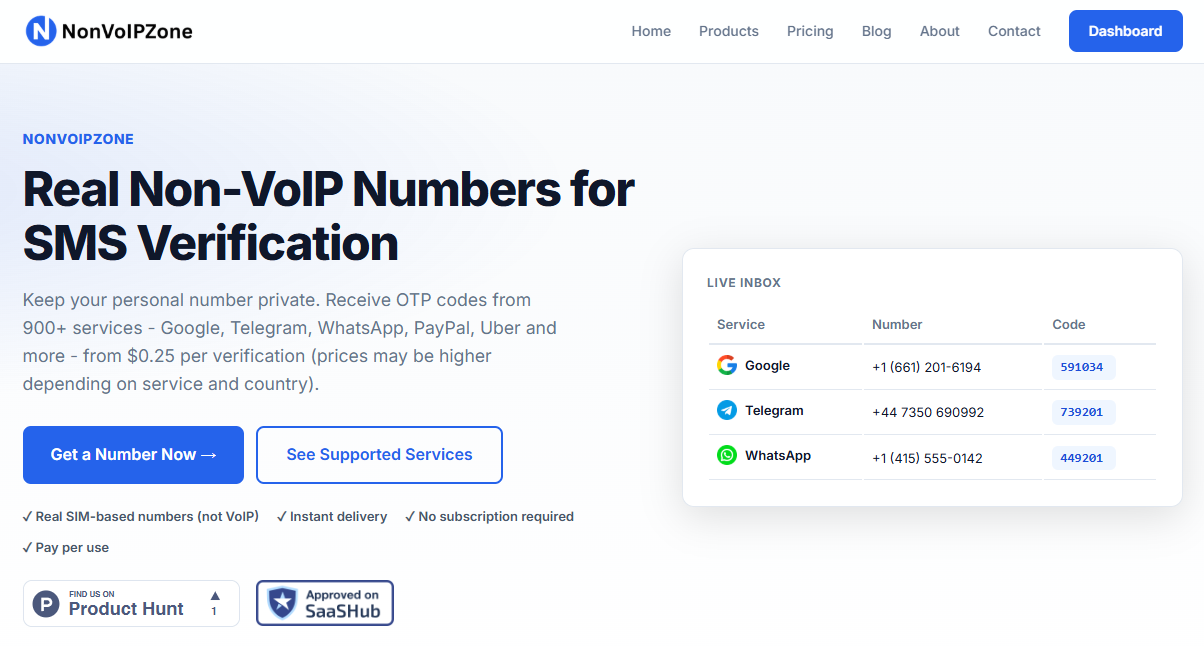
Most failed verifications come from recycled numbers or VoIP lines quietly resold as mobile, so provider transparency matters more than price. NonVoIPZone offers non-VoIP numbers that receive SMS codes across 900+ apps and websites, including platforms that reject virtual numbers.
To buy a non-VoIP SMS number that actually works, pick a provider that clearly labels its numbers as non-VoIP, confirm the specific app you need is supported, and check that you can view the incoming code before you pay. Skip any service that hides the carrier type or refuses a quick test, because that is where most failed verifications begin.
If you have ever been blocked at the "enter the code we texted you" screen, the number itself is usually the problem. This guide walks through what a non-VoIP number is, how to buy one, how to receive your first code, and the mistakes that quietly waste money.
Key Takeaways
- A non-VoIP number is tied to a real mobile carrier, so platforms treat it as a genuine phone.
- Confirm the number is labeled non-VoIP, supports your target app, and delivers a live code before you pay.
- Recycled or resold VoIP lines cause most rejected verifications, so provider transparency beats a low price.
What Is a Non-VoIP Number and Why Do Platforms Trust It?
A non-VoIP number is a phone number assigned by a mobile carrier to a real cellular line, the same kind of number that ships with a physical SIM card. Platforms trust it because it maps to a genuine subscriber on a carrier network, which is far harder to mass-produce than an internet number.
VoIP numbers, by contrast, route messages over the internet and can be created in bulk for pennies. That makes them a favorite tool for spam and fake accounts, so many services now inspect a number's carrier type during sign-up. Smishing pressure is rising fast, which pushes platforms to tighten these checks.
When a number is flagged as VoIP, the platform often refuses to send the code at all. A non-VoIP line clears that filter because it carries the trust signals of a real mobile subscription.
How Do You Buy a Non-VoIP SMS Number Step by Step?
Buying a non-VoIP SMS number takes five steps, and the order matters. Rushing past the compatibility check is the single most common reason a purchase fails at the code screen, so treat each step as a gate before you spend anything.
Step 1 - Pick the App and Country First
Decide which platform you are verifying (Google, WhatsApp, PayPal, and so on) and which country the number should belong to. Some apps care about the number's region.
Step 2 - Choose a Provider That Labels Numbers as Non-VoIP
If a service does not clearly state the carrier type, assume it may resell VoIP lines. NonVoIPZone, for example, specializes in real non-VoIP numbers built for SMS verification.
Step 3 - Confirm App Support Before Paying
Check that your exact app appears in the provider's supported list. A number that works for one platform can still be rejected by another.
Step 4 - Select the Number and Complete Checkout
Pick an available number, choose the service you need it for, and pay. Keep the confirmation or dashboard link handy.
Step 5 - Test the Number Immediately
Trigger a verification on your target app and watch for the code. Testing right away tells you whether the number is live before you rely on it.
How Do You Receive Your First Verification Code in Minutes?
To receive your first code, open the verification screen inside your target app, enter your new non-VoIP number, and request the SMS. On a healthy number, the code usually lands within seconds to a couple of minutes and appears in the provider's message inbox or dashboard.
Here is the practical flow:
- Enter the number in the app exactly as shown, including the country code.
- Tap send and switch to your provider's inbox to watch for the message.
- Copy the code and paste it back into the app before it expires. Codes often expire in five to ten minutes, so speed helps.
What if nothing arrives? Resend the code once, since carriers occasionally drop a first message. Confirm you picked the correct country and the correct app when you bought the number. If a working number still shows nothing after a few minutes and a resend, contact the provider rather than buying a second number in frustration.
What Common Mistakes Do Buyers Make and How Can You Avoid Them?
The most common mistake is buying on price alone and ending up with a recycled or resold VoIP line that fails at verification. A number that looks like a bargain becomes worthless the moment the platform rejects it, so match the number to the job before you match it to your budget.
Watch for these traps:
- Ignoring app compatibility: A number sold as "works everywhere" rarely does. Confirm your specific app is supported.
- Reusing one number across many accounts: Many platforms bind one active account to a number. Overloading a single line triggers lockouts.
- Skipping the live test: If you never verify the number works, you discover the problem when you are already depending on it.
- Choosing the wrong country: Some apps expect a number from a particular region and quietly reject others.
- Assuming any cheap virtual number is non-VoIP: Free virtual numbers are almost always VoIP and the first to be blocked.
Why Does NonVoIPZone Cover 900+ Apps and Websites?
NonVoIPZone focuses on real non-VoIP numbers that receive SMS codes across more than 900 apps and websites, including platforms that routinely reject virtual numbers. The breadth exists because different services enforce different carrier and country rules, and covering many of them means a buyer can verify wherever they need to.
That coverage answers the core frustration behind this whole guide: a number that works on one app but fails on the next. By sourcing genuine carrier-backed numbers rather than internet lines, NonVoIPZone aims to pass the exact filters that block VoIP numbers on services like Google, WhatsApp, and PayPal.
Your Next Step
Before you buy anything, write down the exact app and country you need to verify, then confirm your chosen provider lists that app as supported and lets you view the incoming code. If it does, run one test verification the moment you buy. That single test is the difference between a non-VoIP number that actually works and another blocked screen.
Frequently Asked Questions
What is the difference between a VoIP and a non-VoIP number?
A VoIP number routes calls and texts over the internet and is not tied to a physical SIM. A non-VoIP number is assigned by a mobile carrier to a real cellular line, which is why more platforms accept it for SMS verification.
Why do apps like Google and WhatsApp block VoIP numbers?
VoIP numbers are cheap, disposable, and heavily used for spam and fake accounts. To reduce fraud, many platforms check a number's carrier type and refuse codes to lines flagged as internet-based.
How fast can I receive an SMS verification code after buying a number?
With a working non-VoIP number, the code usually arrives within seconds to a couple of minutes. If nothing appears after a few minutes, resend once and confirm you selected the correct country and app.
Can I reuse a non-VoIP number for several accounts?
Sometimes, but many platforms link one active account per number. For separate accounts on the same app, using a dedicated number for each avoids conflicts and lockouts.
Is buying a non-VoIP SMS number legal?
Buying a number to receive your own verification codes is generally legal. Using one to impersonate someone or bypass a platform's terms for fraud is not, so keep usage to legitimate sign-ups you control.